
Evidence boundary: This is a documented compatibility guide, not a BYT01 hands-on test. Always verify the exact model, revision and firmware on the manufacturer’s current support page before purchase.
Quick checklist
- Define the workload, target resolution and budget before selecting parts.
- Match the exact CPU socket, chipset support list and required BIOS version.
- Verify memory generation, capacity, kit configuration and the motherboard QVL.
- Check graphics-card dimensions, PCIe slot layout, power connectors and case clearance.
- Confirm PSU capacity, connector standard, cooling clearance and upgrade headroom.
1. Start with the workload
A gaming PC, editing workstation and general-use machine need different balances. Set the display resolution, target applications, storage requirement, noise preference and upgrade horizon first. This prevents spending heavily on one component while creating a bottleneck elsewhere.
2. CPU and motherboard compatibility
A matching socket name is necessary but not always sufficient. Intel states that sockets are not interchangeable and that motherboard BIOS support is also required. AMD likewise notes that a newer Ryzen processor may require a BIOS update before the system can boot.
- Check the processor’s exact model and socket.
- Open the motherboard manufacturer’s CPU support list.
- Record the minimum supported BIOS version.
- If an update is required, confirm that the board supports USB BIOS Flashback or that a supported processor is available.
3. Memory compatibility
Do not mix DDR generations. Check the board’s supported memory type, maximum capacity, slot population rules and QVL. Prefer a matched kit instead of combining separate modules. XMP and EXPO profiles are overclocking profiles, so stability still depends on the complete platform and settings.
4. Graphics card, PCIe and physical fit
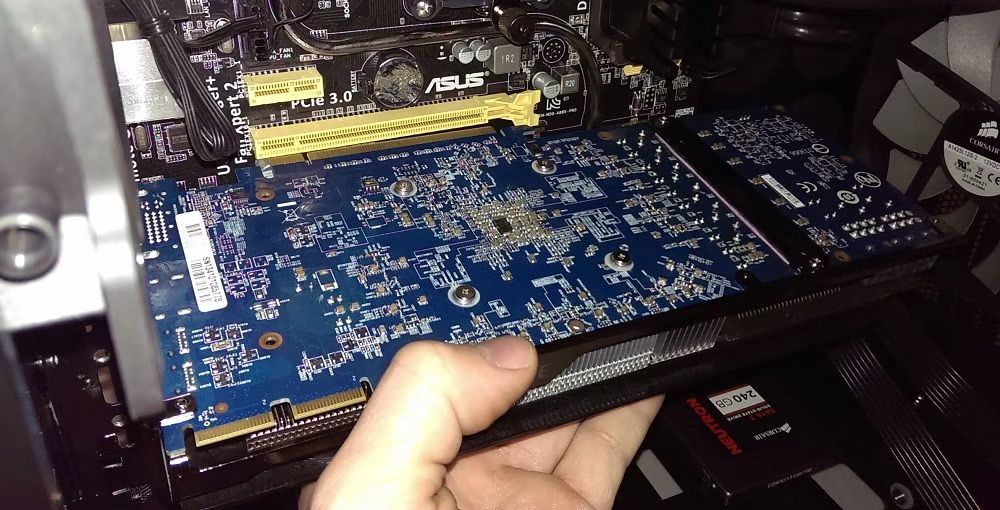
PCI-SIG documents backward compatibility between PCIe generations, but a device operates within the speed and lane configuration supported by the complete link. Also verify card length, thickness, slot count, power-plug clearance and whether front radiators or drive cages reduce available space.
5. Power and cooling
Calculate the demand of the exact CPU and graphics-card model, then check required connectors and transient-load guidance from the component manufacturer. PSU quality, protections, cable compatibility and warranty matter more than the wattage printed on the box. Confirm CPU-cooler height, radiator positions, memory clearance and airflow before checkout.
Final pre-purchase audit
- Check the CPU support list and BIOS version; retain the source.
- Check the RAM generation, exact kit number and slot plan.
- Check GPU length, thickness and connectors.
- Check case, cooler and radiator clearances.
- Check PSU connectors, cable compatibility and upgrade headroom.
- Check storage interfaces and shared motherboard lanes.
Sources
- Intel: Desktop processor package and socket guide
- AMD: BIOS updates for Ryzen desktop systems
- PCI-SIG: PCIe compatibility FAQ
Decision and evidence limits
BYT01 conclusion: Verify model, revision, BIOS, dimensions and connectors before ordering or assembling.
| Item | Evidence boundary |
|---|---|
| Article type | Documented checklist; not a compatibility certificate. |
| Material limitation | A compatibility checklist does not prove that parts were assembled together or validate an overclocked memory profile. |
| Measurement requirements | Retain manuals, BIOS version and slot configuration; distinguish first boot from stability validation and performance tests. |
A best-value verdict requires an available exact-variant offer with seller, market, complete price, shipping, warranty and check date. Historical price snapshots retain their original dates.
This editorial revision used AI assistance and has no recorded independent human expert sign-off.
Test protocols and evidence · Commercial disclosure · Corrections policy · Related decision guide
Update — 23 October 2026: Revised the decision summary, evidence limits, comparison conditions, disclosure and links. This is an editorial revision date, not a new hardware measurement or a recheck of every retailer offer.
Three reasons to pause a purchase
- BIOS: A USB port does not establish FlashBack support. Check the exact model and supported procedure in the official ASUS guide. Do not interrupt power during an update or use firmware for a similarly named board.
- QVL: Match the full memory-kit part number and supported module configuration, not just the brand. ASUS explains its CPU/memory lists and acknowledges that stability issues can persist with listed parts; inclusion does not guarantee every setting.
- Power cables: Use supplied cables or replacements explicitly approved for the exact PSU. CORSAIR documents a different ATX pinout between Type 3 and Type 4 and incompatibility of Type 5 with those types. Similar names or appearance are insufficient.
A reviewable verification record
This is a proposed documentation template, not BYT01 test results or a completed build record.
| Item | Record | Pause when |
|---|---|---|
| CPU and motherboard | Exact model/revision, support URL, required BIOS and check date | Support or an update method is unconfirmed |
| Memory | Kit number, module count/capacity, slots and requested profile | The configuration conflicts with the board manual |
| Power and clearance | PSU/cable models, connectors, card/cooler dimensions and case space | Cable support or clearance is undocumented |
After assembly, record OS and software versions, test settings, workload, duration, temperatures and errors. Booting alone does not establish stability or performance superiority.
Update — 24 October 2026: Changed completed-sounding checklist items into verification tasks and added BIOS, QVL, cable precautions and a documentation template using the linked ASUS and CORSAIR guidance. No new measurements or independent human review are claimed.