
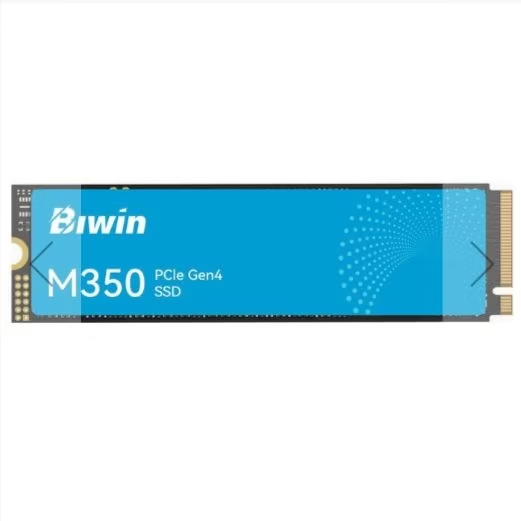
Choose an SSD for the exact system and workload—not for the largest sequential number on a product page. Capacity, physical fit, protocol, available lanes, sustained behavior, thermals, endurance, warranty and backup strategy all matter before a peak benchmark result becomes useful.
1. Size the workload before choosing capacity
List the operating system, applications, current data, active projects, temporary files, game library and expected growth. Windows 11 requires at least 64 GB of storage, but that is an installation floor—not a sensible SSD purchase target. Adobe recommends a fast internal SSD for Premiere installation and cache plus an additional high-speed drive for media, showing why workflow layout matters as much as one total-capacity figure.
| Use case | Planning starting point | What should change the decision? |
|---|---|---|
| Windows eligibility only | 64 GB is Microsoft’s minimum, not a BYT01 buying recommendation | Updates, reserved space, applications, recovery files and personal data |
| Office, study and light applications | 500 GB is a practical editorial starting point | Local media, cloud-sync folders and how long the device will be kept |
| Mainstream gaming and mixed use | 1 TB is a practical planning point for a new system | The exact installed library, capture files, mods and download connection |
| Large game or creator library | 2 TB can reduce frequent uninstall and archive work | Project size, media bitrate, cache behavior and external or network storage |
| Premiere workflow | Calculate application, cache, source media and export space separately | Adobe recommends fast SSD storage and a separate high-speed media drive |
| Virtual machines and data work | Sum active virtual disks, snapshots, datasets and scratch space | Concurrent guests, write volume, recovery points and backup capacity |
The uncited 500 GB, 1 TB and 2 TB entries are BYT01 planning points, not universal requirements or performance claims. Measure your current used space and check every critical application’s current documentation.
2. Separate the form factor from the protocol
M.2 describes a physical form factor; it does not automatically mean NVMe. Crucial documents that an M.2 device can use SATA or PCIe, while its NVMe drives use PCIe. Confirm every layer instead of searching only for “M.2 SSD.”
| Drive description | Physical connection | Protocol/interface question | Primary compatibility check |
|---|---|---|---|
| 2.5-inch SATA SSD | 2.5-inch bay plus SATA data and power | SATA | Bay, cables, port availability and enclosure thickness |
| M.2 SATA SSD | M.2 card and keyed socket | SATA through the M.2 slot | The slot must explicitly support SATA mode |
| M.2 NVMe SSD | M.2 card, commonly an M-key socket | PCIe/NVMe | Supported length, PCIe lanes, generation, boot support and heatsink clearance |
| External SSD | USB or Thunderbolt/USB4 enclosure | Depends on the enclosure and host link | Port mode, cable rating, enclosure bridge, power and sustained thermals |
Also verify the module length—such as 2230, 2242 or 2280—plus single- or double-sided component clearance. Never force a keyed module into an incompatible socket.
3. Read the motherboard or system manual
The exact manual decides whether a slot accepts SATA, PCIe or both; how many lanes it receives; which lengths it supports; whether it can boot from NVMe; and whether populating it disables another M.2 slot, SATA port or expansion slot. A chipset name alone is not enough.
PCI-SIG documents backward compatibility across PCIe generations. A newer drive can often operate in an older compatible link, but it runs within the negotiated generation and lane width of that connection. Treat a lower reported link as a platform check—not immediate proof that the SSD is defective.
- Record the full motherboard, laptop or handheld model and firmware version.
- Check the slot map and lane-sharing footnotes in the manual.
- Confirm NVMe boot support if the drive will hold the operating system.
- For laptops and compact devices, check thickness, component side and thermal-pad requirements.
- For add-in adapters, confirm lane bifurcation and boot support instead of assuming every multi-drive card works.
4. Understand what performance numbers represent
Sequential throughput describes large contiguous transfers. Random performance describes smaller scattered operations and is commonly reported as IOPS or latency. Queue depth and thread count describe how much work is outstanding. A peak high-queue sequential result does not predict application launch time or every game-loading scenario.
CrystalDiskMark exposes the number of runs, test size, test drive, units, block size, queue and thread settings. Its publisher warns that results depend on the test-file size and position, fragmentation, controller, CPU and other conditions, and that results from different major versions are not directly compatible.
When comparing published results, require the same tool version, profile, data pattern, test size, drive fill, operating system, link, temperature and power policy. If those fields are missing, treat the comparison as directional rather than exact.
5. Look beyond the burst cache
Many consumer SSDs use a fast write cache whose size and behavior can change with drive capacity and free space. A short test may remain inside that cache, while a long transfer can reveal a different sustained-write rate. Controller, NAND type, firmware, DRAM or Host Memory Buffer support, and background garbage collection are model-specific—never infer them from “NVMe” alone.
- For game loading and general use, examine low-queue random behavior and latency alongside sequential figures.
- For video, backups and large imports, prioritize documented sustained writes and thermal behavior.
- For heavy mixed or professional writes, seek steady-state and consistency evidence, not only a single maximum.
- Compare the same capacity: different capacities of one model can use different NAND layouts and endurance ratings.
6. Plan thermals for the exact enclosure
Heat can change sustained performance. Samsung explains that its Dynamic Thermal Throttling reduces performance when temperature rises beyond the intended operating condition, and that nearby CPUs or graphics cards can worsen airflow. This does not mean every NVMe SSD needs an aftermarket heatsink.
- Follow the drive and motherboard instructions for the supplied heatsink, thermal pad and label.
- Do not stack incompatible heatsinks or remove a label unless the manufacturer explicitly allows it.
- Check airflow around slots positioned under a graphics card or near a CPU exhaust.
- Use the exact model’s operating-temperature specification; there is no single universal limit for every SSD.
- Record temperature before and during any sustained test.
7. Translate TBW and DWPD into your workload
Kingston defines TBW as the amount of data that can be written over the specified endurance and explains DWPD as drive-capacity writes per day over a stated period. Compare endurance only at the same capacity and read the warranty terms: a warranty may be bounded by time, total writes or other conditions.
Required writes in TB ≈ average GB written per day × 365 × years ÷ 1000
Example: 100 GB per day for five years is about 182.5 TB of host writes. This is arithmetic workload sizing, not a prediction of failure date. Leave room for changes in usage and check whether the vendor reports host writes, NAND writes or another measure.
Professional requirements may also include power-loss protection, end-to-end data protection, consistent latency or a defined DWPD class. Do not assume a consumer drive offers those features because it has a high peak speed.
Documented example: capacity changes the warranty limit
The official Samsung warranty table, checked on 24 October 2026, lists these 990 PRO limits. Limited coverage ends at the time or TBW threshold, whichever comes first, subject to the remaining terms:
| 990 PRO capacity | Period | Write limit |
|---|---|---|
| 1TB | 5 years | 600TBW |
| 2TB | 5 years | 1200TBW |
| 4TB | 5 years | 2400TBW |
These are not failure dates, prices or a purchase recommendation. Verify SKU, seller and local coverage; no Gulf-market offer or service warranty was validated for these examples.
8. Firmware, health data and TRIM are maintenance—not backup
The NVMe specification defines SMART/health information and error-log structures, but a healthy status cannot guarantee future survival. Use the manufacturer’s supported utility to check firmware, health fields and update instructions; back up first and avoid interrupting firmware operations.
Microsoft explains that Windows optimizes SSDs by issuing TRIM rather than treating them like hard disks. Leave normal optimization enabled unless the system or storage vendor documents another policy. Do not repeatedly run manual write benchmarks as a maintenance ritual.
9. Use a repeatable SSD validation workflow
- Record the SSD model, capacity, firmware, system, slot, negotiated PCIe/SATA mode, operating system and storage driver.
- Back up important data and confirm the target drive before any destructive or write-heavy operation.
- Check usable capacity, partition style, file system, encryption state and current free space.
- Record idle temperature and the vendor health fields before testing.
- In CrystalDiskMark, record the exact version, profile, run count, test size, data pattern and units.
- For a planned comparison session, perform three independent runs with the same profile, power policy and settings after backing up. Record the tool’s internal repeat count separately from the number of independent runs.
- For a large-file workload, separately record transfer size, source drive capability, cache behavior, temperature and sustained rate over time.
- Repeat the real application task that motivated the purchase, such as import, build, game load or virtual-machine startup.
- Save the raw result and conditions. Treat unexplained errors, disconnects, thermal collapse or health warnings as investigation triggers.
- Keep starting temperature and free space as consistent as practical. Retain all three results and report median, minimum and maximum for each metric, not just the fastest number. Document changes before a new session; do not run write benchmarks as routine maintenance.
Method clarification: three independent runs are a BYT01 proposal for documenting variation, not published results or a repeat-count recommendation by the developer. The official CrystalDiskMark page listed version 9.0.3 dated 24 May 2026 when checked on 24 October. It warns about SSD wear and incompatible results across major versions. Record test size and total writes; use backed-up test files.
10. Final buying checklist
- Workload, current used space and realistic growth measured.
- Required applications and publisher storage guidance checked.
- 2.5-inch, M.2 or external form factor confirmed.
- SATA versus PCIe/NVMe protocol confirmed for the exact slot.
- M.2 length, keying and single/double-sided clearance confirmed.
- Lane sharing, boot support and negotiated generation checked in the manual.
- Sustained and low-queue evidence considered alongside peak sequential speed.
- Thermal solution and airflow planned for the actual enclosure.
- TBW/DWPD, warranty term and workload writes compared at the same capacity.
- Firmware utility, return policy and regional warranty verified.
- Backup and recovery plan exists before migration.
- Repeatable validation settings recorded before trusting the drive.
Frequently asked questions
Is every M.2 SSD an NVMe drive?
No. M.2 is a physical form factor and can carry SATA or PCIe/NVMe depending on the device and slot. Check both specifications.
Will a PCIe 4.0 or 5.0 SSD work in an older slot?
Often yes when the form factor, protocol and platform support match, because PCIe generations are backward-compatible. The link operates within the generation and lane width supported by both sides; verify the manual and boot support.
Do I need an SSD heatsink?
It depends on the exact drive, workload, slot position and airflow. Follow the drive and motherboard instructions and judge temperatures against the model’s specification.
Is TBW a guaranteed failure point?
No. It is an endurance specification used with the warranty terms, not a countdown to an exact failure date. Compare it with expected writes and keep backups.
Does a CrystalDiskMark score prove real-world performance?
No. It is useful only with recorded settings and conditions. Test size, queue depth, drive state, controller, temperature and tool version can change the result; also test the real workload.
Official and first-party sources
- Microsoft — Windows 11 system requirements
- Adobe — Premiere technical requirements
- Crucial — mSATA and M.2 SSD interface overview
- PCI-SIG — PCI Express compatibility and link behavior
- NVM Express — Base Specification 2.0a
- Kingston — understanding SSD endurance, TBW and DWPD
- Samsung Semiconductor — internal SSD thermals and product information
- Crystal Dew World — CrystalDiskMark documentation and result limits
- Microsoft — SSD optimization and TRIM in Windows
- CISA/US-CERT — data backup options and the 3-2-1 rule
Sources accessed 17 August 2026. Firmware, compatibility, endurance, software requirements and warranty terms can change; re-check the exact drive capacity and platform before purchase.
Update log
- 24 October 2026: Resolved single-run versus repeat-run guidance; added median/range reporting, write-wear limits and the capacity-specific Samsung warranty example with linked sources above. AI-assisted editorial update; no new lab results or independent human expert sign-off.
- 17 August 2026: rebuilt as a source-backed buying and validation workflow; added capacity evidence, interface and lane checks, performance context, cache and thermal limits, endurance sizing, maintenance, backup, repeatable testing, FAQs and source registry.
- 15 August 2026: bilingual editorial fields and baseline compatibility checklist added.